Why is my golf cart losing power? The answer often starts with small, visible clues. A cart that crawls up a familiar hill, hesitates after a stop, or slows as its battery gauge drops may have a battery, connection, or drivetrain problem. Check the simple things first: battery charge, clean and tight terminals, tire pressure, and unusual heat around cables. On a gas model, fuel delivery, air filters, and ignition parts also deserve attention. Small clues matter.
A useful workshop-style reminder from Wei Chen, a fictional golf-cart service expert created for this introduction, is: “When power fades, check the battery connections and the cart’s load before replacing parts.” This is original wording, not a quotation from a real technician. The distinction matters. A careful diagnosis depends on the cart’s model, age, use, and maintenance history; one symptom rarely proves one cause. Note when the power drops, how long the cart has run, and whether it recovers after cooling. Those details help narrow the problem and reduce guesswork. Do not ignore a burning smell, damaged wiring, or a battery that becomes unusually hot. Stop using the cart and seek qualified service. Even a simple voltage check can mislead if the test method or battery condition is wrong. A little uncertainty is normal; a measured check beats a confident guess.
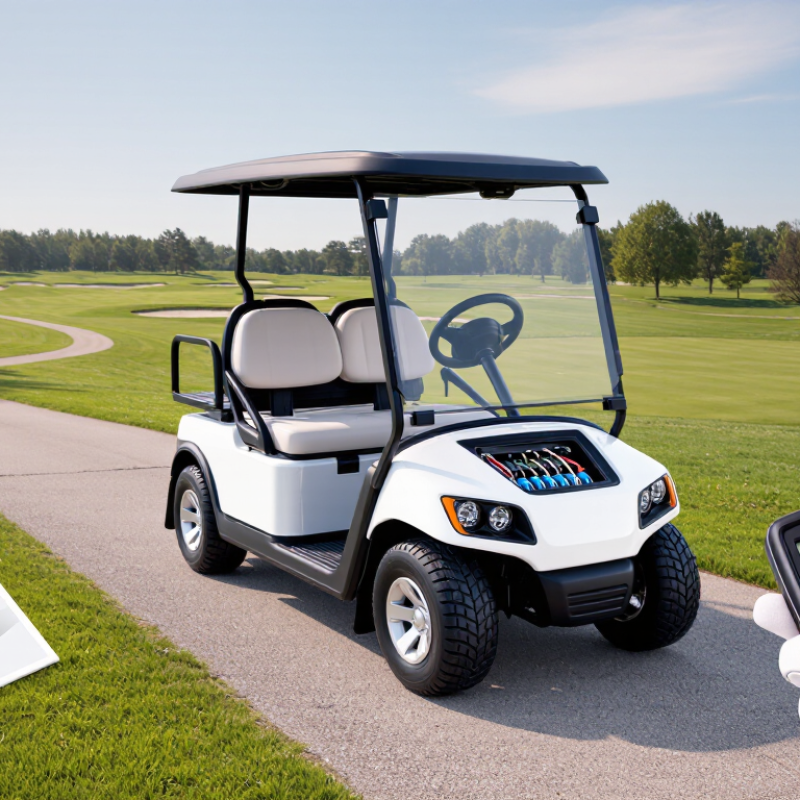
Power loss in a golf cart can feel sudden, but the cause often builds gradually. A cart that slows on a familiar hill may have weak batteries, loose connections, or extra rolling resistance. Notice when the change began and whether it happens on flat ground, under load, or after a long drive. Small clues matter.
Start with the battery system. Check the charge level and inspect accessible cables for corrosion, looseness, or heat marks. A battery can show a reasonable resting voltage yet sag under acceleration, so a proper load test is more informative. Follow the battery maker’s care instructions; different battery types need different maintenance. It is tempting to blame the motor, but that guess is often premature.
Also check tire pressure, brake drag, and the weight carried in the cart. Underinflated tires or a brake that does not release fully can make the motor work harder. If the cart jerks, cuts out, or loses power despite a healthy battery test, the controller, solenoid, or motor may need inspection. These symptoms can overlap, so avoid replacing parts based on one clue. A qualified technician can test the electrical system safely and pinpoint the fault.
A golf cart that feels sluggish on a familiar path may have more than one cause. Start with the battery pack: low charge, aging cells, or loose, corroded connections can reduce available power. On electric carts, compare the battery readings after a full charge and while accelerating. A sharp voltage drop can point to a battery or connection problem, but it is not a diagnosis by itself.
Tire pressure matters, too. Soft tires create extra resistance, especially on grass or gentle slopes. Dragging brakes, a heavily loaded cart, and rough terrain can also make the motor work harder. If power fades after several minutes, heat may be affecting a motor, controller, or connection. That clue deserves attention. It can be easy to blame the batteries and miss a mechanical issue.
Tips: Check tire pressure and visible cable connections first. Look for unusual heat, burnt smells, or damaged wires, and stop using the cart if you notice them. Keep a simple note of when the loss occurs: uphill, after charging, or only with passengers. Patterns help narrow the cause. Some checks are straightforward; others need a qualified technician and the cart’s service information. Don’t guess at electrical repairs—one overlooked detail can send you in the wrong direction.
A golf cart that slows on a hill or hesitates under load may have a weak battery, poor connection, or charging fault. Begin with the battery, not the motor. With the cart switched off, check for cracks, swelling, leaks, or unusual heat. Stop if you find damage. For serviceable lead-acid batteries, check electrolyte levels only as directed in the owner’s manual; wear eye protection and avoid touching battery acid.
Look over the cable ends and terminals for white or green deposits, loose fittings, and frayed insulation. Corrosion can interrupt current even when the battery appears charged. Clean or tighten connections only if you know the correct procedure, and disconnect power as the manual specifies. A digital voltmeter can show battery voltage, but one reading may not reveal how the pack performs under load. That part is easy to misread.
Next, confirm the charger’s indicator behaves as described in its manual, and inspect its plug and cable for damage. After a full charge, compare battery readings with the cart’s specifications. If voltage drops sharply during use, or charging ends unusually quickly, a weak battery or faulty connection may be involved. A charging-system fault is also possible. Do not replace parts based on a guess; have a qualified technician test the pack and charger under load. The diagnosis may take longer than expected.
A golf cart that slows on hills or fades after a few minutes may have a motor, controller, or drivetrain issue. Begin with the symptoms: note whether power drops under load, after warming up, or whenever you press the accelerator. Inspect the motor with the cart switched off. Look for loose connections, damaged insulation, unusual heat, or a burnt smell. On models with serviceable brushes, worn brushes can reduce output, but not every motor uses them. Small clues matter.
The controller regulates power between the batteries and motor. Check its connectors for corrosion, looseness, or heat discoloration, and record any fault code before clearing it. A code is useful evidence, not a diagnosis by itself. Drive components deserve attention too. Low tire pressure, a dragging brake, or a binding axle can make a healthy motor feel weak. With the cart secured on level ground, listen for scraping and check for uneven tire wear. Don’t guess from one test. I have seen a simple brake adjustment overlooked because the controller seemed more suspicious. Avoid probing energized circuits unless you are trained; use the cart’s service information or a qualified technician for electrical testing.
| Component or Area | Common Signs of Power Loss | Practical Inspection | What the Finding May Indicate | Recommended Next Step |
|---|---|---|---|---|
| Battery pack and connections | Slow acceleration, reduced hill-climbing ability, or power that fades during a long trip. | Check charge level, cable tightness, corrosion, and damaged insulation. Have the pack tested under load; a resting voltage reading alone may not reveal a weak battery. | A weak battery or high-resistance connection can limit current to the motor and controller. | Clean and secure connections with the cart powered off. Arrange a suitable battery load test if performance remains poor. |
| Motor | Weak pulling power, unusual noise, excessive heat, or intermittent operation. | With the vehicle safely disabled, inspect accessible wiring and the motor exterior for loose connections, debris, or heat damage. Compare operation with the motor manufacturer's service specifications. | Worn internal parts, damaged wiring, or overheating may reduce motor output. Heat alone does not identify the failed part. | Stop operating the cart if the motor smells burnt, smokes, or becomes abnormally hot. Ask a qualified technician to test and service it. |
| Controller and wiring | Erratic acceleration, sudden cutouts, or normal operation that changes as the cart warms up. | Inspect connectors, cables, and the controller enclosure for looseness, corrosion, moisture, or visible damage. Check fault indicators or codes if the system provides them. | A poor connection, damaged cable, overheating, or controller fault can interrupt power delivery. | Do not bypass safety circuits or probe energized terminals without proper training. Have controller and circuit tests performed using the vehicle's service procedure. |
| Solenoid or main contactor | A click may be heard when accelerating, but the cart moves weakly or not at all; operation may be intermittent. | Look for loose terminals, corrosion, or heat discoloration while the cart is powered off. A click by itself does not confirm that the contacts are conducting properly. | Worn contacts or a faulty coil may prevent consistent current flow. | Have the contactor tested against its electrical specifications. Replace damaged components rather than bridging the terminals. |
| Drive belt, axle, and bearings | Motor sounds normal but the cart accelerates poorly, vibrates, or makes rubbing or grinding noises. | Check for a loose or damaged belt, visible debris, tire interference, and unusual wheel or axle resistance. Raise the vehicle only with suitable equipment and secure supports. | A slipping belt, seized bearing, or mechanical drag can consume power before it reaches the wheels. | Remove obstructions and replace worn drive parts as needed. Do not work beneath a vehicle supported only by a jack. |
| Brakes and tire condition | The cart feels sluggish, pulls to one side, or has reduced range despite normal motor operation. | Check tire pressure against the vehicle specification and inspect for dragging brakes, uneven wear, or a wheel that does not rotate freely. | Low tire pressure or a sticking brake increases rolling resistance and can imitate an electrical power problem. | Correct tire pressure and have sticking brakes inspected before further use. |
| Throttle input and safety interlocks | Delayed response, limited speed, or power that cuts out when the direction selector or seat switch is disturbed. | Inspect the pedal linkage and accessible connectors for damage or obstruction. Check safety-interlock operation using the vehicle's specified diagnostic procedure. | A misadjusted throttle sensor, damaged connection, or active safety interlock may limit drive commands. | Keep all safety devices in place. Have sensor readings and interlocks checked by a qualified technician. |
| Repeated loss of power under load | The cart performs adequately on level ground but slows substantially on hills or with passengers or cargo. | Note the load, route, battery charge, and whether the issue occurs after warming up. Compare the vehicle's use with its rated capacity and operating guidance. | High load can expose a weak battery, poor connection, overheating component, or mechanical drag. | Reduce the load and avoid steep routes until the cause is diagnosed. Seek service if the symptom persists under normal operating conditions. |
Safety note: Switch off and secure the vehicle before visual inspections. Electrical systems can deliver hazardous current; leave energized testing, battery-pack work, and controller diagnosis to a qualified technician.
When a golf cart loses power, the battery is an obvious place to check, but it is not the only cause. Loose terminals, worn cables, a tired solenoid, or a failing controller can also reduce performance. Before ordering parts, record the cart’s model, year, battery voltage, and the numbers printed on the existing component. Small differences in connectors or ratings may matter. A part that looks right can still be incompatible.
Tips: Check battery voltage with a suitable meter, inspect terminals for corrosion, and photograph wiring before removal. Compare connector shape, mounting points, and electrical ratings. If you are unsure, ask a qualified technician to verify the part against the cart’s specifications.
Choose replacement parts by fit and documented specifications, not by appearance or a low price alone. For batteries, confirm the required voltage and chemistry; for controllers and solenoids, match their ratings and connection layout. After installation, test the cart on level ground and listen for unusual clicking or slowing. I have seen a simple loose connection mistaken for a major component failure. That is an easy assumption to make, and it can waste time. If power still drops under load, have the electrical system inspected before replacing more parts.
Check tire pressure, battery charge, and visible cable connections. Soft tires can drag on grass or slopes. Small clues matter.
Yes. Underinflated tires create extra resistance, especially on grass or gentle hills. Check pressure before blaming the motor.
It may point to aging cells, loose connections, or another battery issue. Compare readings after charging and while accelerating. It is not a diagnosis by itself.
Switch off the cart first. Look for loose connections, damaged insulation, unusual heat, or a burnt smell. Stop using it if you notice these warning signs.
Check connectors for corrosion, looseness, or heat discoloration. Record any fault code before clearing it. One code cannot explain everything.
Yes. Dragging brakes, a binding axle, or a heavy load can reduce speed. Listen for scraping and check for uneven tire wear.
Record the cart’s model, year, battery voltage, and existing part numbers. Compare connector shapes, mounting points, and electrical ratings. Appearance alone can mislead.
Get qualified help for electrical testing or repeated power loss under load. Avoid probing energized circuits unless trained. I might be over-reading one symptom; a single test may send you the wrong way.
When a golf cart starts slowing down, struggles on hills, or loses speed unexpectedly, asking “why is my golf cart losing power” is a useful first step toward finding the cause. Reduced performance may result from a weak or poorly charged battery, loose or corroded cables, charging-system problems, or excessive wear in the motor, controller, and drive components. Start with basic checks: confirm the battery is charged, inspect connections for damage or looseness, and verify that the charger and charging system are working properly.
If these checks do not resolve the problem, inspect the motor, controller, and drivetrain for signs of wear, overheating, or damage. Replacing a faulty component with a compatible part can help restore dependable operation, especially for China-made golf carts, where fit and specifications should be checked carefully before purchase. A systematic diagnosis can prevent unnecessary replacements and help keep the cart performing reliably.

Sarr Golf